

Here was the daily schedule of the author Ursula K. LeGuin.
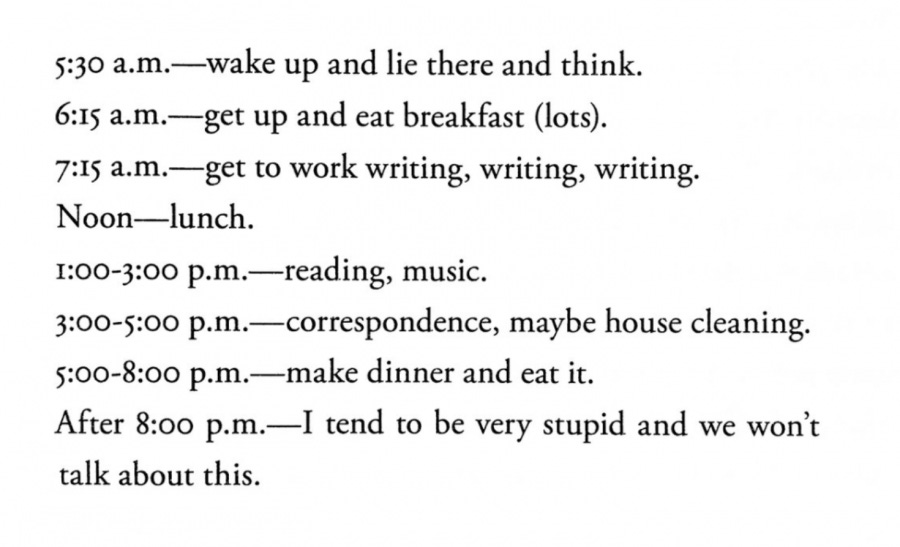
Now, this is the calendar of a full-time writer, of course. Those of us who don’t make a living from our writing need a different schedule and strategy. We have that annoying thing that takes up most of our calendar’s time: a job. Or, in my case, a business or two.
If you’re like me, you have dreamed of writing a book one day, but have never quite reached the finish line. Even though I’ve been an avid reader for my entire life, I have never published what I would call a real book (I don’t think my daily journals count). I always wanted to, and I have several notebooks (physical and virtual) full of story ideas, drafts, and notes. But taking a proper book all the way has felt out of reach.
I’m getting older now, so I know my time is running out. That’s why I came up with a new strategy a few years ago, which helped me finish the first draft of my book. Now, I’m in the editing phase and finding out that this is even harder than writing that first draft! But I’m chipping away at it and making some changes and additions, because the world has changed a lot over the past couple of years, and I have changed, too.
Regardless, the strategy worked! It forced me to write consistently and get that draft done. I know some of you dream of writing a book one day, too. So, I want to share what I’ve learned and some tools I use.
Creating the book outline
I have been exploring writing both fiction and nonfiction books. Years ago, I decided to focus on a nonfiction book about becoming empowered in your life and career. I had been taking notes for this book for a few years. I had also been writing related articles on Medium and Substack.
I had a general idea of the overall structure of the book, but I hadn’t formalized it. Well, one day I took a large paper sketchpad with me to the outdoor patio of a local business. I sat down for the afternoon and forced myself to outline the book chapters, including some key bullet points about the content of each chapter.
I started with a flow diagram of the arc of the book, sketching with pencil. I erased and changed the flow as I thought it all through. Then, once I liked the overall arc, I started on the outline. Agan, using pencil and paper made the process much faster than fiddling with digital tools (e.g., apps on my laptop or phone). It was so easy to sketch, jot down notes, erase, and modify with the flick of my pencil.
Once I was happy with that outline, I used my markdown app, Ulysses, to put that structure into a dedicated project folder. That let me set writing goals (e.g., word counts) and add chapter content when I was ready.
My primary writing app
As just mentioned, Ulysses is my primary app for writing stories and books. I selected it because I could install the app on my MacBook, iPad, and iPhone. My content is stored in the cloud, which lets me seamlessly move between all my devices as I work on my stories and chapters. You can read more about other writers who chose Ulysses and why it works for them.
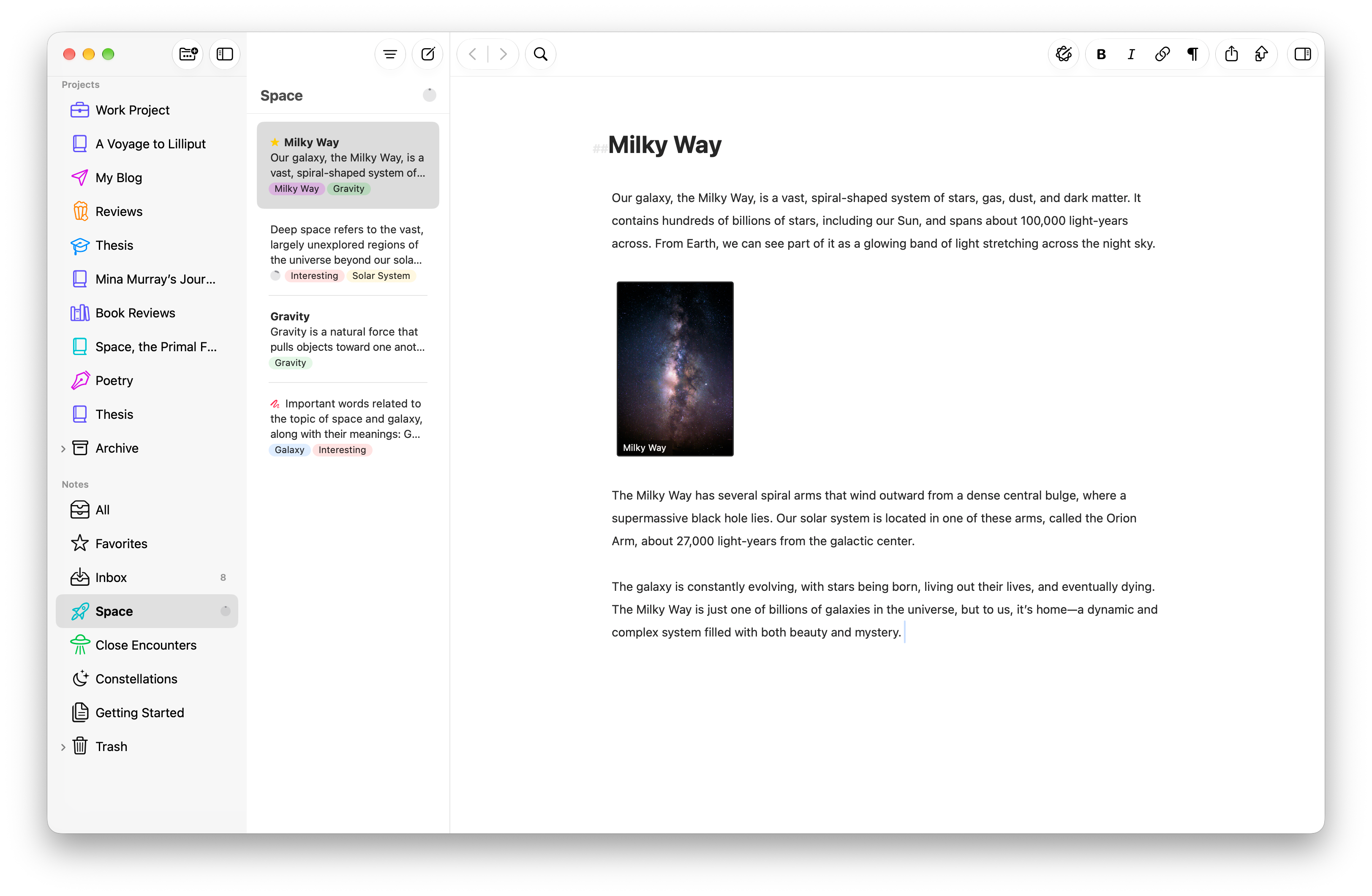
I wanted to write in a markdown app that didn’t use its own proprietary formatting, which rarely transfers well to other publishing tools. Yeah, yeah, I know a lot of people use Microsoft Word. But I’m not a fan, and I wanted clean text to copy and import into many other services (e.g., Substack, Medium) and tools (e.g., Vellum).
The Ulysses editor also lets you set the main writing window to full screen so you can focus without other distractions. I have found it to be quick, and I love that I can pick up writing with any device I have handy.
For example, I always have my iPhone in my pocket. So, if I’m out and about while an idea hits me, I can pull out my phone, open Ulysses, and quickly add new content to a chapter. I don’t have to wait until I get home to access my computer.
Not on iOS?
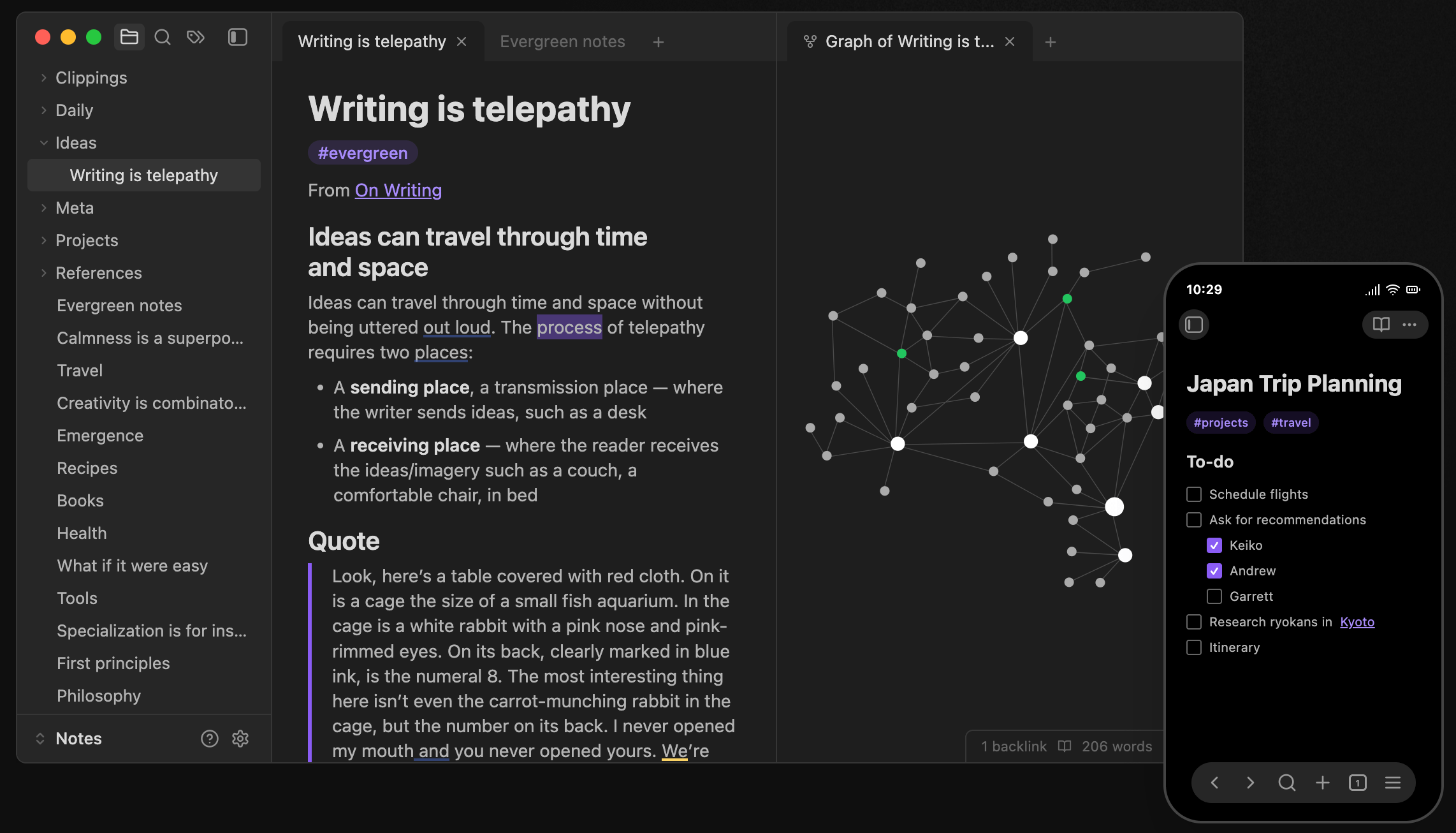
My friends on Android love Obsidian. It is a great markdown app that works across multiple platforms, including iOS, Android, Mac, Windows, and Linux. I have tried it, and it’s really cool. But I was already used to Ulysses and in that workflow.
Sharing with subscribers
The biggest productivity and consistency boost for my writing came from sharing draft chapters with my subscribers. There’s nothing like a little accountability to others to help you stay committed and on track!
For a couple of years, I would release a draft book chapter to my Substack newsletter subscribers. Knowing that the readers were waiting kept me on schedule. If I missed a week (or was slow publishing a chapter), someone would message me and ask when the next chapter was going to be ready!
This also became a good channel for getting some feedback from people. For example, I would hear if something was confusing or missing context. Then, I could make some edits or add new content to other chapters to help clarify things.
Bookfunnel for building your list
Bookfunnel is a useful service for authors:
Whether it’s delivering your reader magnet, sending out advance copies of your book, handing out ebooks, audiobooks, or other digital files at a conference, or fulfilling your digital sales to readers, BookFunnel does it all.
Using Bookfunnel, I set up a page to let people download a sample chapter from my book. This also lets them join my mailing list so I can notify them when the final book is available. I have used the service for some of my fiction books as well.
Vellum for designing your book
Vellum is my favorite app for designing the final layout for my eBooks and print books. It is elegant, easy to use, and the book design is quite lovely! It’s great to see the preview of your book (e.g., ebook or paper book) while you write.
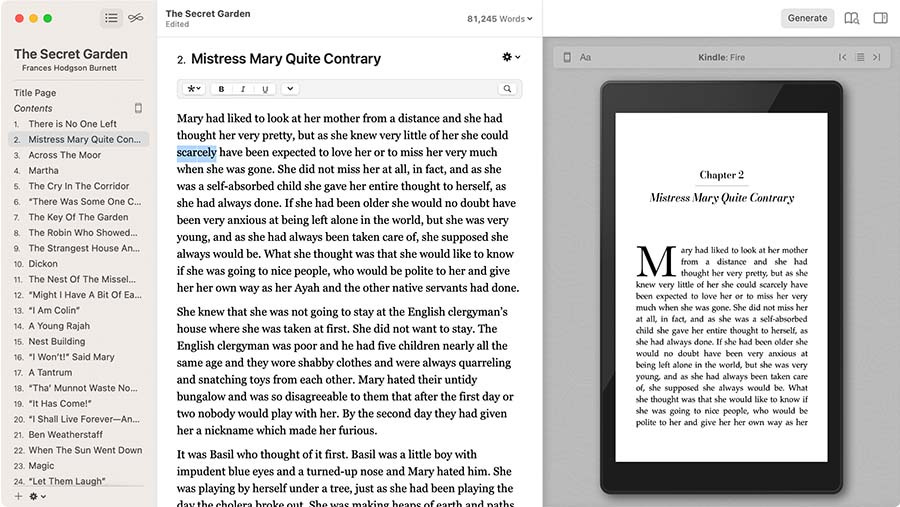
You can create ebooks for every platform (e.g., Kindle, Kobo, Apple Books, etc.). Each specialized file can guide readers to buy your next book in their favorite store. If you have a series, you can combine everything into a box set in just a few steps.
For print books, you choose your trim size, and Vellum does the rest, with an automatic setup of margins, page numbers, and headers and footers. The app handles complex tasks like widow-handling and spread-balancing, giving you a professional result every time you generate a book.
Paper notebooks for quick ideas
I’ll keep beating this drum forever. There is nothing like a paper notebook for quickly capturing ideas and sketching concepts. I am a tech geek, and I use so many digital tools. But none of them are easier or faster than sketching on paper. Not one!
So, every morning I sit with my coffee, take out my journal (yes, I use my own journals!), and capture ideas for my stories, books, and articles. My overall goal is to publish my nonfiction book, so I write a to-do list of what I will work on that day to get closer to that goal.
My overall flow is:
Quick daily notes and ideas on paper (e.g., paper notebooks and sketchpads).
Using those notes to write draft chapters and articles using Ulysses.
Publishing from Ulysses to Substack for my subscribers.
Editing again in Ulysses with feedback from readers.
Copying from Ulysses to Vellum for final book design and layout work.
Publishing a sample chapter on Bookfunnel to sign up readers.
Using Vellum to generate and export the final book files for import into services like Amazon and Barnes & Noble (i.e., to start selling the book).
A writing community for support and education
It is risky to put all your eggs in one basket. I have watched some authors fully commit to Amazon, for example, and get screwed over later. That’s why I joined the Wide for the Win community. It is a Facebook group for indie and hybrid authors who are going wide with their books (i.e., not Kindle Unlimited exclusive) and want to find other authors to talk shop with.
I’m not a fan of using Facebook, but that’s where their community is hosted. Publishing and selling books can be a very tricky business. So, it’s super helpful to get advice from authors who have figured things out and found ways to succeed and thrive. Some writers there are making significant money from their books!
So, I recommend joining to learn more about the process of writing and publishing.
Good luck!
I hope some of this helps you on your writing journey. I have written and published a few books on Amazon and Barnes & Noble, so I know how the process works end-to-end. Now, I’m taking that journey again for my “real books.”
Wish me luck, too!

Larry Cornett, Ph.D. | Empowerment coach, psychologist, nature lover, and fitness freak. I help you escape the “hustle trap” to create an empowered life that fits who you are and what you want most. From Silicon Valley exec to self-employed entrepreneur, I’ve also followed this path to freedom, so now I can help others find their way.
➡️ Want to design your path? Book a free call with me!

📕 Check out my Invincible Daily Journals!